The spool CLI
spool is one binary for everything you do from a terminal: sign in,
start and watch runs, answer approvals, manage workflows, schedules,
secrets and agents, run Hyperspool on your own machine, and the commands
a job calls from inside a run. This page covers how it works; the
command reference lists every command, flag and
example.
Grammar
Section titled “Grammar”Commands are spool <noun> <verb>, with the noun singular:
spool run listspool run get run-7Hk2spool workflow set release release.yaml --publishspool schedule create -w backup --every 6hMost nouns share the same verbs: list (also ls), get, set or
create, update, delete (also rm), and open for the console
page. Deletes ask first on a terminal; a script passes --yes.
spool <noun> --help lists a noun’s verbs, and spool --help the nouns.
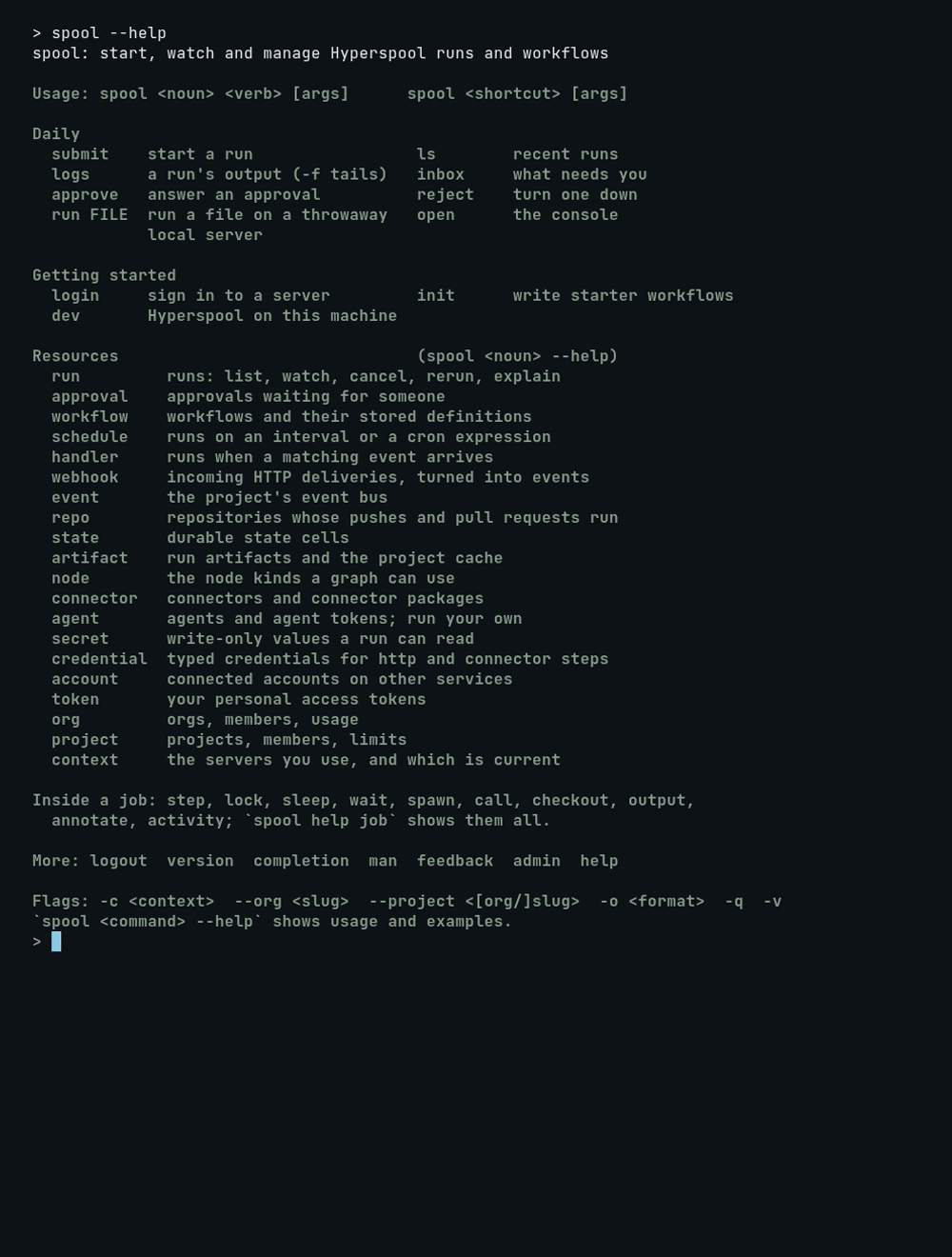
The commands you type most have short forms: spool submit, spool ls
and spool logs are run submit,
run list and
run logs, and spool approve and
spool reject are approval approve
and approval reject.
A few commands stand on their own: login, logout, init, dev,
inbox, open, version, feedback, completion and man.
spool run <file> runs a file on a
throwaway local server and exits with the run’s result; a file named
like a verb is written ./list.

A run is named by its id (run-7Hk2...) in the current project, its
qualified id (acme:web:run-7Hk2...), or its console URL. A stored
workflow version is name@3, name@draft or name@published. Flags
that take JSON accept it inline, as @file, or as - for stdin.
spool help <command> and spool <command> --help answer offline, with
examples. An older spelling, such as spool status, exits 2 and prints
the new one.
Contexts and targets
Section titled “Contexts and targets”A context is a server, the token for it, and an org and project. Commands use the current context unless you pick another.
spool login https://api.hyperspool.dev # prompts for a token, saves a contextspool context list # your contexts, and running spool dev serversspool context use local # make one currentspool context get # what commands use now, and whyspool project use acme/api # another project in this contextMint the token in the console under Settings, then Tokens. spool login
reads it from stdin, or prompts without echo on a terminal, then takes
the org and project from --scope, your only membership, or a prompt.
The server address must be https://; plain http:// works only for a
server on this machine (127.0.0.1, ::1, localhost), since it would
send the token unencrypted.
With no org yet, spool login stops: create one in the console first, then log in.
spool dev registers a context named
local while it runs (--name picks another). On a machine with no
current context it becomes current; otherwise commands keep going where
they went, and spool dev prints how to switch.
For one command, pass -c, --server, --org or --project after it:
spool ls -c localspool ls --server https://hyperspool.dev --project acme/webFor a script or CI job, set the target in the environment:
| Variable | Meaning |
|---|---|
HYPERSPOOL_SERVER |
the server to talk to, without a context |
HYPERSPOOL_TOKEN |
its token |
HYPERSPOOL_ORG, HYPERSPOOL_PROJECT |
its org and project |
SPOOL_CONTEXT |
a saved context, for one shell |
The first of these that is set picks the target: --server, -c,
HYPERSPOOL_SERVER, SPOOL_CONTEXT, then the current context. --org
and --project then override the scope. HYPERSPOOL_TOKEN, _ORG and
_PROJECT apply only to the server HYPERSPOOL_SERVER names; --server
on its own uses the token of a login for that URL. --server together
with -c is a usage error. When the target came from the environment, a
line on stderr names it.
Output
Section titled “Output”Reads print a table by default. -o picks another format:
| Format | Prints |
|---|---|
-o table |
aligned columns with a header on a terminal; tab-separated rows and no header in a pipe |
-o json |
the API’s response, unchanged; a list is an array |
-o yaml |
the same, as YAML |
-o id |
one id per line |
--headers keeps the header in a pipe. Writes print the new id in a pipe
and a sentence on a terminal. Exceptions say so in their help, such as
workflow export (the document) and state get (the bare value).
stdout carries only the result, so run=$(spool submit ci.yaml) works.
Notes, hints and the target banner go to stderr, and -q keeps stderr
to errors. -v prints each request. A list cut short ends with a
more: ... --cursor <c> hint on stderr; --all fetches every page.
--color auto|always|never sets colour, and NO_COLOR,
CLICOLOR_FORCE, CLICOLOR=0 and TERM=dumb are respected.
Secrets come from stdin
Section titled “Secrets come from stdin”No flag carries a secret value, so none lands in shell history. The command reads it from stdin, or prompts without echo on a terminal:
printf %s "$TOKEN" | spool secret set deploy-tokengh auth token | spool credential set gh --kind bearerspool credential set registry --kind basic --username ci # prompts for the passwordThe same holds for the HMAC key of webhook set --hmac-header, a
manifest’s signing key with webhook set --supply-key, and the key for
admin bootstrap. A secret the server mints (token create,
agent token create, a webhook’s secret) is printed once on stdout.
Secrets says where each kind is available.
Exit codes
Section titled “Exit codes”Every command, inside a job and outside, uses one table:
| Code | Meaning |
|---|---|
| 0 | success |
| 1 | failed: a watched run or called child failed, workflow check found a problem |
| 2 | usage: a bad command, flag or value, no scope, a delete without --yes and no terminal, a replay that took a different path, a reused step name |
| 3 | conflict: state add or state cas lost, a publish lost a race |
| 4 | not found, including an artifact get miss and state get --required of an unset cell |
| 5 | not allowed, or no credentials or context |
| 6 | unavailable: the server or the agent can’t be reached |
| 75 | suspended: the agent is parking the script; nothing is printed |
| 124 | timed out: --timeout elapsed |
| 125, 126, 127 | a wrapped command could not start, is not executable, or does not exist |
| 130 | interrupted |
With -f or --wait, submit, run rerun, run signal, schedule run
and approve exit with the run’s outcome, as spool logs -f and
spool run follow do. step, lock and activity exit with their
command’s own code.
A document that doesn’t parse is a usage error that points at the line:

Inside a job
Section titled “Inside a job”A script or step the agent runs can call these commands over the agent’s
socket. They need no server or token. spool help job lists them with
examples, and script commands has the semantics.
| Command | What it does |
|---|---|
spool step <name> -- <cmd> |
run a command once per run |
spool lock <group> -- <cmd> |
run a command holding a named lease |
spool sleep <duration> |
suspend, releasing the agent |
spool wait signal <name>, wait event <type> |
suspend until a signal or an event arrives |
spool spawn, spool call |
start a child run; call waits and prints its output |
spool activity run|submit|wait |
fan work out to agents with the capabilities it needs |
spool event emit <type> |
publish an event, once per run |
spool checkout |
clone the run’s repository at its commit |
spool output set k=v |
this step’s output for later steps |
spool annotate |
post a markdown note to the run’s page |
spool state, spool artifact |
durable state cells, artifacts and the project cache |
step, sleep, wait signal, wait event, lock, activity run|submit|wait, spawn, call, event emit, state add|cas|incr
and artifact put|get are recorded: a replay returns the first result
and does not do the work again (the full
list). The rest run again on
every pass, so don’t branch on them.
Inside a job, run list, run get, run events and run annotations
read the run’s own project over the socket too. Other server commands
need a server handed to the job in its env: (HYPERSPOOL_SERVER,
HYPERSPOOL_TOKEN and HYPERSPOOL_PROJECT); without one they exit 5,
and a job never reads your saved contexts.